One library, many parts of your life
Why we are moving toward one personal library in Notidian: fewer decisions before you write, more room for connections, and honest boundaries around privacy and sync.
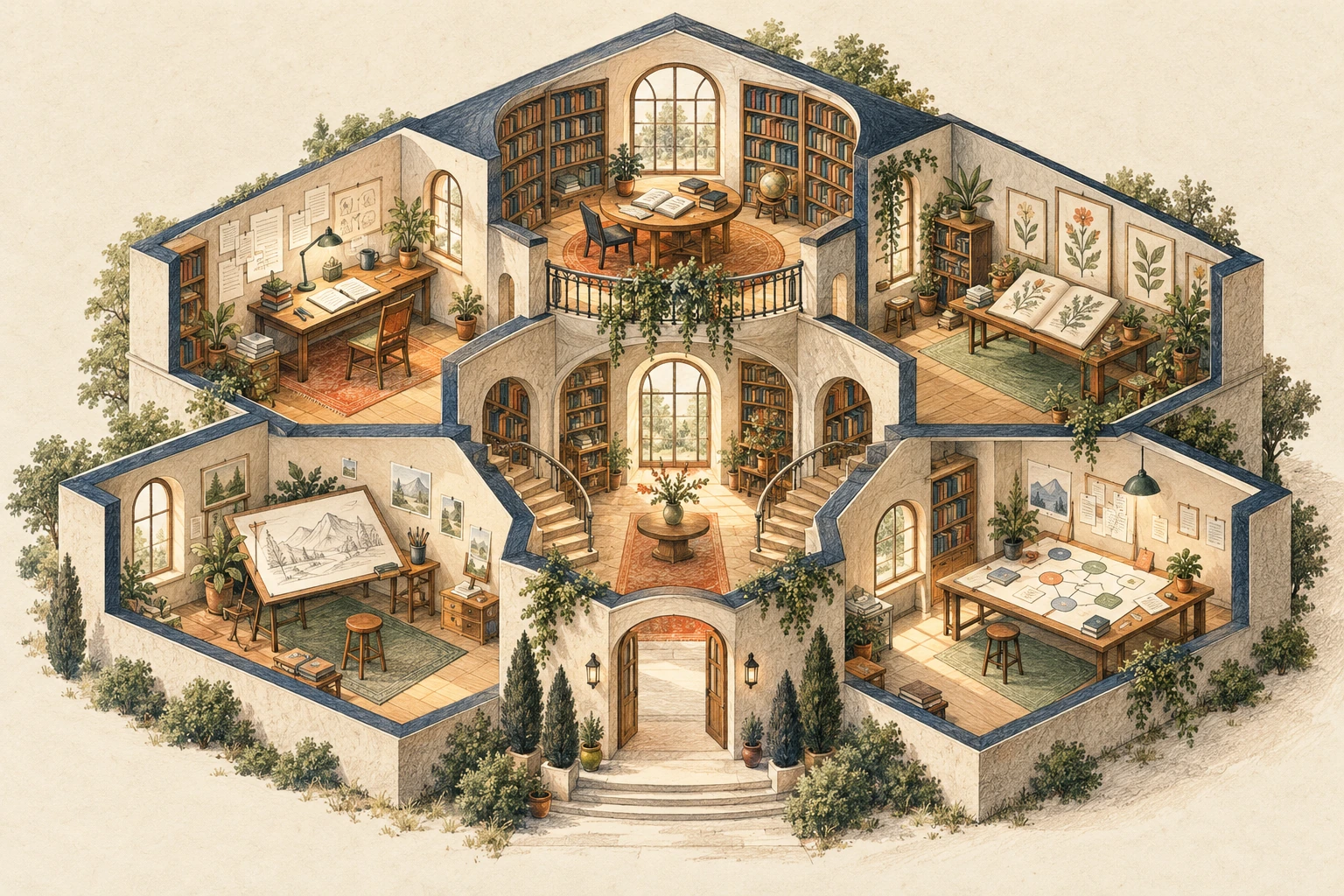
Working on Notidian’s sync engine made me question why we had several workspaces in the first place.
I was trying to work out which workspace would belong to which account, and what someone would find after signing in on their phone. The more we discussed it, the less sense it made to ask everyone using Notidian to understand that structure too.
I want Notidian to help me keep my knowledge together. My work, interests, and personal projects can have their own folders. I don’t think they all need separate libraries.
So we are moving toward one personal library. One folder on your computer, organised however you like. If you choose sync, your account connects your devices to that same library. Local use stays available without an account.
I care about this because it changes how someone starts using Notidian. Installing a notes app should not come with the responsibility of designing a filing system for the rest of your life. I would rather let people write something and organise it when they have a reason to.
We haven’t finished this change. Notidian currently supports multiple workspaces, and encrypted sync is still experimental. The onboarding and folder controls in this post describe where we are heading.
Why folders feel like enough
A research project can have a folder. So can a journal, a course, or a collection of sketches. They can stay distinct while belonging to the same library.
A separate workspace adds more than organisation. It creates another place to open, another place to search, and potentially another relationship to a sync account. That can be useful, but I no longer think we should introduce it just because someone wants to separate two subjects.
There is also the problem of material that belongs in more than one place. A reference can be useful to several projects. Copying it into each library leaves you maintaining several versions, while keeping it in just one means remembering which one you chose.
I would prefer one place to look first. That doesn’t mean importing every file into Notidian or giving up specialist applications. A photograph can still belong in a photo editor. The notes and references around it can live with the rest of your work.
Some people already have a multiple-vault system they love. For someone installing Notidian for the first time, though, I want to remove a decision I don’t believe they need to make yet. I expect that to make getting started easier; we still need to see whether it does in practice.
The psychology behind the decision
Psychologists Evan Risko A cognitive psychologist whose research includes how people use their surroundings and external tools to support thinking. Read more about Evan Risko and Sam Gilbert A cognitive psychologist who studies intentions, reminders, and how people use external aids to support memory. Read more about Sam Gilbert describe Cognitive offloading Using an external aid or action to reduce a task's mental demands, such as writing a reminder instead of keeping an intention in mind. Read more about Cognitive offloading: using actions and external aids to reduce the mental demands of a task. A reminder on your phone is one example. Writing something down so you do not have to keep it in mind is another.[1]
That helps explain what I want from a notes app. Once I have written something down, I want to spend less effort remembering it and where I put it. Maintaining the system shouldn’t become a second job.
The research does not prove that one library is better than several. That is our design judgement. It does give us a reason to pay attention to the mental effort our own interface introduces.
Keeping information available and learning it are different things, though.
In their review of learning techniques, John Dunlosky A psychologist who researches learning and how people judge their own understanding. He co-authored the review of learning techniques cited here. Read more about John Dunlosky and colleagues rated Practice testing Trying to retrieve an answer from memory before checking it, rather than only rereading. It can be a low-stakes self-quiz, not a formal exam. Read more about Practice testing and Distributed practice Spreading learning across separate sessions over time instead of doing all the practice in one sitting. Also called spaced practice. Read more about Distributed practice particularly highly.[2] In everyday terms, trying to recall an idea and returning to it over time are useful ways to learn. Saving another article, by itself, does not do either.
I don’t want us to confuse a growing collection with growing understanding. The useful part comes when you return to a note, try to explain it yourself, or use it in your work. Making that material easier to find is a worthwhile job for Notidian. Understanding it still takes your involvement.
Leaving room for connections
An idea about Feedback loops Processes in which a system's outputs influence what happens next. For example, feedback from a first draft can change how you write the next one. Read more about Feedback loops might matter to a course, a work project, and a personal reflection. I don’t want the subject it was originally filed under to decide where it can be useful later.
That is what appeals to me about linked-note methods such as Zettelkasten German for slip box: a collection of individually addressable notes connected by references. Modern versions often use links between digital notes. Read more about Zettelkasten. In his account of working with a slip box, Niklas Luhmann A German sociologist known for systems theory and for a linked slip-box collection that supported his reading and writing. Read more about Niklas Luhmann described stable references and connections between notes as ways to let a collection grow without fixing its entire subject structure in advance.[3]
His account is a description of a working method, not a controlled study of note-taking apps. What I take from it is the freedom to build on something without having to predict every future use when you first write it down. A shared library gives those connections somewhere to develop, though you still have to notice them and explain why they matter.
If you prefer Tiago Forte A writer and productivity educator who developed the PARA organisational method and wrote Building a Second Brain. Read more about Tiago Forte’s PARA method An organisational framework with four categories: Projects for active goals, Areas for ongoing responsibilities, Resources for interests, and Archives for inactive material. Read more about PARA method, its Projects, Areas, Resources, and Archives can be folders in the same library.[4] You could also keep a journal and a handful of folders with ordinary names. I don’t want choosing Notidian to mean signing up for a note-taking methodology.
What other applications get right
Looking at other apps helped clarify the choice. Several already let people keep their knowledge together, even when they also support separate spaces.
Obsidian: control over the boundary
Obsidian’s vault is a local folder of files. Separate vaults can give unrelated bodies of work their own environment. You can also use just one vault; multiple vaults are a capability, not a requirement.
Steph Ango A designer and writer who publishes about tools for thinking. His personal Obsidian setup describes a connected note collection and a separate website-publishing workflow. Read more about Steph Ango's description of his own Obsidian setup recommends avoiding splits between personal notes. He also describes a separate vault for publishing his website.[5] I like that distinction: keeping personal knowledge connected, with a separate environment where the workflow actually calls for one.For Notidian, I want one library to be the starting assumption. We don’t need to make everyone evaluate the alternatives during setup.
OneNote: several notebooks, one familiar application
OneNote supports multiple notebooks, organised into sections and pages.[6] During this discussion, it came up as an example of having everything together. Technically, it isn’t a one-vault app, but I think that impression matters: several notebooks can still feel like parts of the same place.
I understand the appeal of that familiar notebook structure. For Notidian, I would like to keep the organisation closer to folders and avoid introducing another level unless it is needed.
Apple Notes: a direct route to a note
Apple Notes organises notes into folders within accounts, including iCloud and local accounts on the Mac.[7] I want Notidian to have that same willingness to let someone just create a note.
The account structure is also a reminder that a simple-looking app can have different storage and sync rules underneath. We still have to explain those rules. Removing a workspace picker doesn’t remove that responsibility.
Notion: workspaces for people as well as information
Notion supports personal and team workspaces, with pages, databases, and sharing controls.[8] Separate workspaces make sense when different organisations or groups own the work. I wouldn’t want an employer’s documents mixed into a personal account either.
Notidian is focused on personal knowledge. That gives us room to make a different choice without pretending that Notion’s structure is unnecessary for the people it serves.
What we gain, and what we give up
The benefits I am aiming for are straightforward:
- One starting place for capture and retrieval, without first choosing a workspace.
- Fewer reasons to duplicate a reference across different parts of your life.
- A simpler account model when you choose sync: connect to your library rather than map several workspaces to accounts.
There are things we lose or make harder:
- A large library can become noisy. We will need good search and navigation, including ways to focus on one folder.
- Some people find a hard separation between work and personal life genuinely helpful. Folders do not reproduce every benefit of separate environments.
- Different ownership, employer policies, or regulated information can require genuine isolation. A folder inside a personal library is not a separate security boundary.
If your employer requires a managed storage system, keep that material there. A preference for one personal library doesn’t override ownership or privacy requirements.
We also have to make a larger collection work well. Indexing, recovery, and sync still need careful engineering. I am choosing a simpler experience for the person using it, not expecting the implementation to become trivial.
One library does not have to mean everything on every device
A folder of large reference files might be useful on your computer and distracting on your phone. Another folder might contain material you never want uploaded.
I would rather handle those needs through folder controls than tell someone to create another library. We are considering two distinct options:
- Keep only on this computer: the folder stays local and does not upload through Notidian Sync. You need an independent backup.
- Hide on this device: the folder is out of that device’s normal view. Hiding alone is not a privacy guarantee or a promise that no bytes are stored there.
Downloads and offline storage need their own clear behaviour too. Hiding a folder and removing its files from a device are different actions; we shouldn’t label them as if they were interchangeable.
These controls are planned, not available guarantees. Sync itself is also not a substitute for an independent backup: synchronisation can propagate changes you did not intend, including deletions.
Getting started
The first screen we are aiming for is simple: start writing, or sign in if you already have a library to connect.
For a new local library, I want a sensible default location and a visible option to change it. People should know where their files live. They shouldn’t need a lesson in Notidian’s architecture to get there.
Local use should stay available without an account. Sync should be a separate choice, with a clear explanation of what uploads and what the service costs. I don’t want folder exceptions in a questionnaire before the first note. They belong where someone manages their folders, when the need comes up.
On another device, signing in should connect to the existing library. If there are already local notes there, we must explain the choices before combining anything. We won’t make the setup look easier by silently merging or replacing files.
For anyone already using several Notidian workspaces, there is nothing to merge today. We need to build a transition that preserves originals and explains any conflicts before asking you to make changes.
Why I want to make this change
I started this discussion worried about untangling sync accounts. I came out of it feeling that we had put an unnecessary decision at the entrance to Notidian.
I want a library I can keep adding to as my interests and projects change. Folders can change with them. Something written for one purpose can become useful for another without moving to a different workspace.
That is why we are choosing one library as the starting point. I would rather spend our effort making it a good place to write, draw, and find things than asking people to manage several of them.
Sources and further reading
The psychology sources below concern external cognitive support and learning strategies. They do not compare single-library and multiple-workspace apps. The method essays describe practices, and the product documentation supports the application comparisons.
- Risko, E. F., & Gilbert, S. J. (2016). Cognitive offloading. Trends in Cognitive Sciences, 20(9), 676-688. A review of using external actions and aids to reduce cognitive demands.
- Dunlosky, J., Rawson, K. A., Marsh, E. J., Nathan, M. J., & Willingham, D. T. (2013). Improving students’ learning with effective learning techniques. Psychological Science in the Public Interest, 14(1), 4-58. See also Dunlosky’s accessible explanation, Strengthening the student toolbox.
- Luhmann, N. (1981). Communicating with slip boxes. English translation by Manfred Kuehn. A practitioner’s account of connected notes, not a controlled learning study.
- Forte, T. The PARA method. A practical framework for organising information by projects, responsibilities, resources, and archives.
- Ango, S. How I use Obsidian. A personal workflow that explains both a preference for a connected vault and a separate publishing workflow.
- Microsoft Support. Introducing OneNote.
- Apple Support. About accounts and folders in Notes on Mac.
- Notion Help Center. Intro to workspaces.
For Notidian’s current beta and optional service direction, see Plans & Public Beta. For the broader local-file philosophy behind this decision, see One Vault to Rule Them All.